

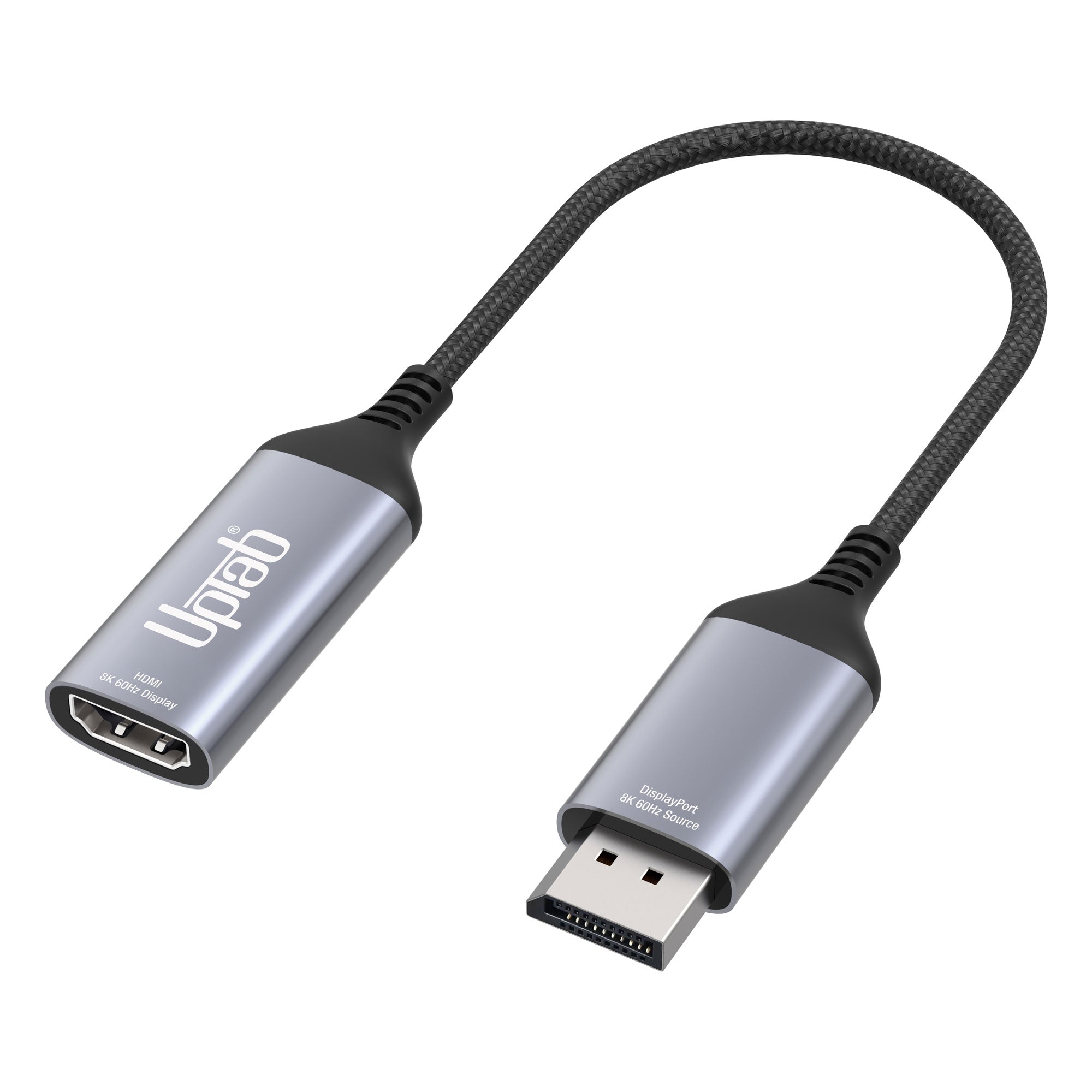
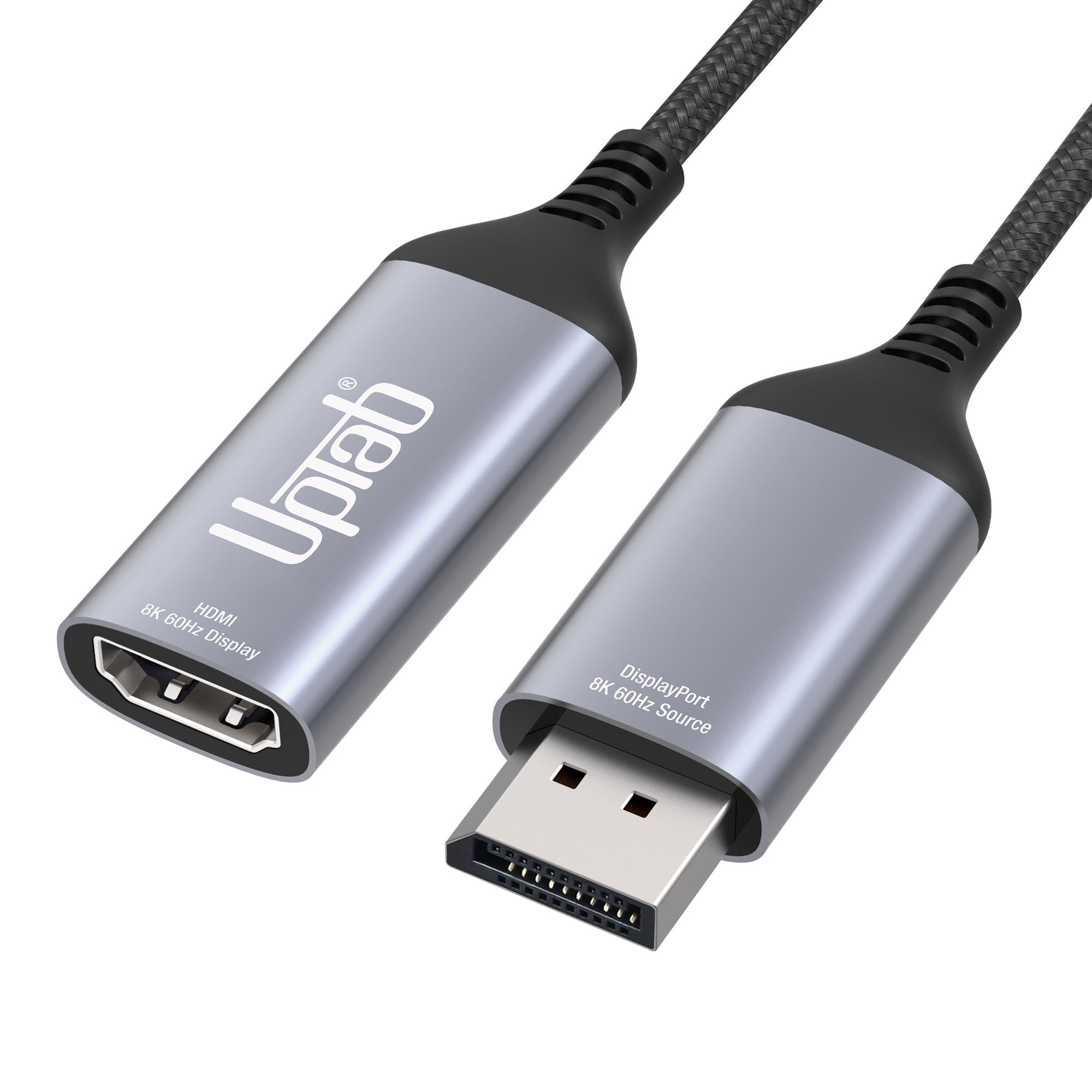
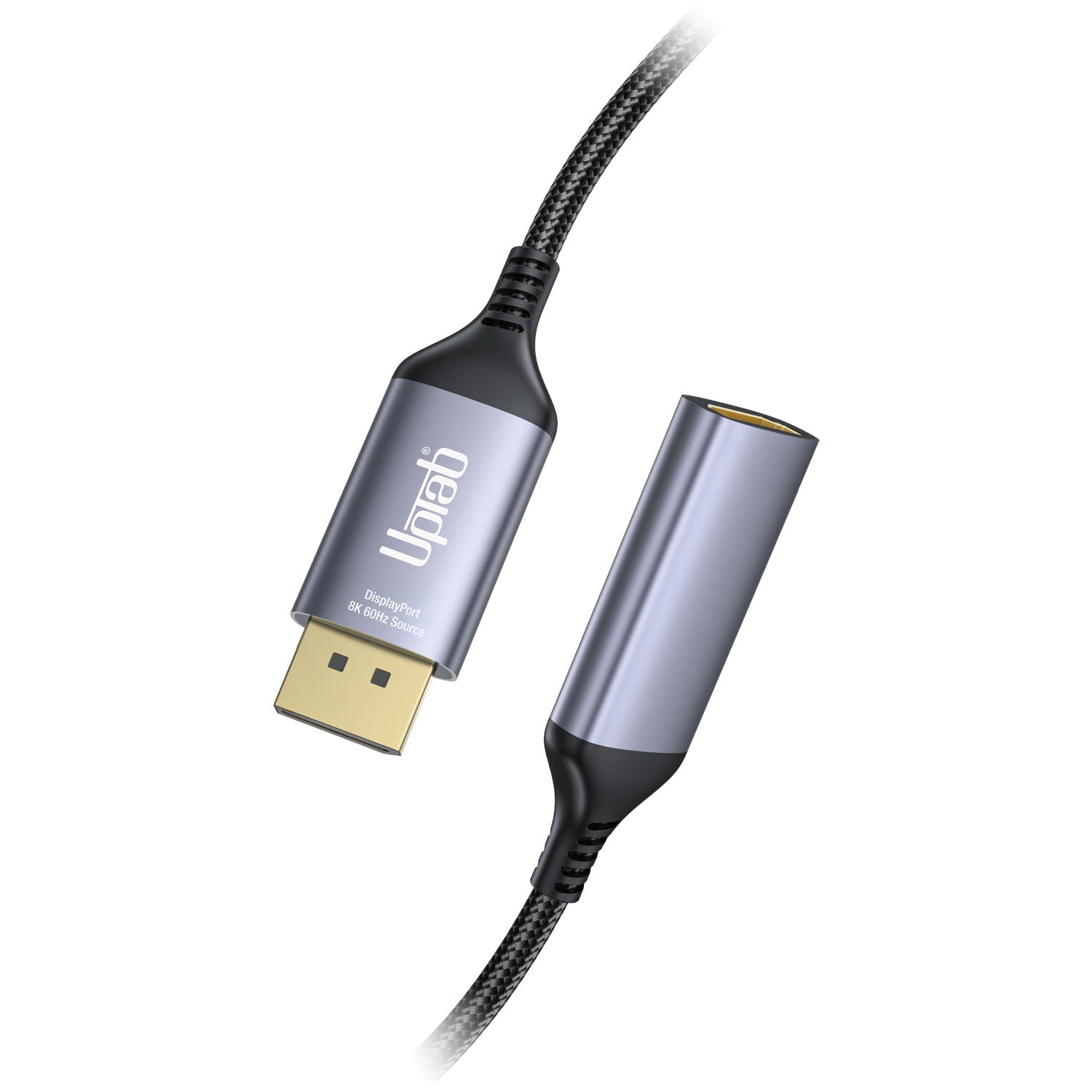
DisplayPort 1.4 to HDMI 2.1 8K 60Hz HDR Active Adapter
About this item
Pairs well with
SAME DAY SHIPPING order by 11 AM (EST)
Free Shipping Orders Over $50
Technical Support
30 Days Return
1-Year Warranty
DisplayPort 1.4 to HDMI 2.1 8K 60Hz HDR Active Adapter
Product details
Connect to an HDMI Ultra HD display with High Dynamic Range from a DisplayPort-supported computer using the DisplayPort Active Adapter! Designed specifically for those who enjoy high-level computing, graphics, and gaming. HDMI 2.1 up to 48Gbps allows even smooth 8K video playback, especially when combined with a 60Hz frame rate and HDR, creating lifelike colors and movements, giving users the ultimate visual experience. Converts DisplayPort video signal at up to 8K 7680×4320@60Hz with DSC or 4K 4096x2160@120Hz with DSC, including 1440p at 240Hz. Best of all, the DisplayPort Active Adapter is extremely easy to use and travel with, thanks to its portable size. Self-Powered, No external power required.
Last but not least, the DisplayPort Active Adapter supports a 4:4:4 color format, ensuring true RGB vibrant colors, as well as HDR without typical visual color degradation. Audio isn't a concern either, with the transmission of up to 8-channel audio for immersive sound.
* Please update your TV Firmware to the version that supports these resolutions/refresh rates!
** Please update your graphics drivers on your PC and make sure that DSC1.2 is supported on your devices to support these resolutions/refresh rates!
This product is SPECIFICALLY designed to work with the latest Graphics Processing Units (GPU’s), supporting DSC 1.2. At the time of publishing, these are the supported GPUs:
NVIDIA RTX: TITAN RTX, RTX 2060, RTX 2070, RTX 2080, RTX 3060, RTX 3080, RTX 3090,RTX 4090, RTX 4080
AMD Radeon: RX 6000, RX 7900 XTX
QUADRO: RTX8000, RTX6000, RTX5000, RTX4000, RTX3000 MOBILE
Intel 11/12 Based Gen: Alder Lake, Tiger Lake, Ice Lake, Iris Plus Graphics, UHD Graphics
Highlights:
- Ideal for gamers and other high-level computing requirements
- Supports 4:4:4 color format with clear RGB colors
- Audio to 8-channel audio
- HDMI 2.1 throughout up to 48Gbps
- Small, portable design
- Multi-shielded cable with aluminum body
- Converts DisplayPort video signal at up to UHD 8K 7680×4320@60Hz or 4K 4096x2160@120Hz, including 1440p at 120Hz
General:
- VESA DisplayPort (DP) v1.4 compliant receiver
- HDMI specification v2.1 compliant transmitter, data rate up to FRL mode up to 12-Gbps per channel and TMDS mode up to 6-Gbps.
- Embedded MCU
- Embedded EDID. Response to EDID if the terminal device doesn’t have it
- Support both HDCP1.4 & HDCP2.3 with on-chip keys to support HDCP repeater.
- Support RGB 4:4:4 8/10bit bpc and YCbCr 4:4:4 , 4:2:2 ,4:2:0 8/10-bit bpc
- Support DSC v1.2a decoder and pass-through mode
- Support max. resolution/timing up to 8K@60p / 4K@120Hz
- Support 3D stereo video format transport
- Support Color Space Conversion
- Support LPCM audio format with max audio sample rate up to 8-channel 192KHz
- Support HBR audio format up to 2-channel 768KHz
- Support 3D audio format up to 16-channel 96KHz
- Support CEC over the AUX channel
- Support High Dynamic Range (HDR-10)
- Support VESA Monitor Control Command Set (MCCS)
- Support CEC over the AUX channel
- Operational Temperature up to 70 °C/158°F
Technical Specifications:
- Input: DisplayPort (DP) v1.4 compliant
- Support 1/2/4 lanes up to HBR3 (8.1-Gbps) input
- Built-in high-performance adaptive equalizer
- Support 1-MHz AUX channel
- Support DSC v1.2a and be backward compatible with the former versions
- Support DSC decoder and pass-through mode
- Support max. resolution/timing up to 8K@60p / 4K@120Hz
- Support CEC over the AUX channel
- Support LPCM audio format with max audio sample rate up to 8-channel 192KHz
- Support HBR audio format up to 2-channel 768KHz
- Support 3D audio format up to 16-channel 96KHz
- Output: HDMI 2.1 Female; An Ultra High Speed HDMI 2.1 cable (sold separately) is required
- Support maximum resolution/timing up to 8K@60p / 4K@120Hz with DSC
- HDMI 2.1 compliant transmitter, data rate up to FRL mode up to 12-Gbps per channel and TMDS mode up to 6-Gbps.
- LPCM and Compressed Audio encoding formats
- Support LPCM audio format with max audio sample rate up to 8-channel 192KHz
- Support HBR audio format up to 2-channel 768KHz
- Support 3D audio format up to 16-channel 96KHz. Support DSC v1.2a and be backward compatible with the former version
- Support DSC pass-through mode
- Audio stream handling
In The Box:
- 1x UPTab DisplayPort 1.4 to HDMI 2.1 4K/120Hz HDR Active Adapter
- 1 Year Warranty
Here is a quick guide on how to use this adapter:
- Connect the DisplayPort end of the adapter to your computer or other device. Make sure the connection is secure.
- Connect the HDMI end of the adapter to your TV or monitor. Make sure the connection is secure.
- Turn on your TV or monitor and set it to the correct HDMI input.
- On your computer or device, make sure that the resolution and refresh rate are set to match those of the TV or monitor.
- Check if your device supports HDR If it does, then you should enable it in the settings.
- Enjoy your high-resolution and high-refresh-rate content.
Download PDF DATA SHEET: Here
Q: I am only getting 4K@60Hz when using the UPTab Active adapter. How can I get 4K @ 120Hz?
There are several different reasons why a 4K display would be limited to 4K@30/60Hz using our adapter. We would recommend first checking:
- The DisplayPort output port must be DP 1.4 compliant to get 4K @ 120Hz with HDR.
- System specifications to ensure that the internal graphics processor can support 4K @ 60Hz and that the output port on the system/GPU can support 4K @ 60Hz.
- Monitor specifications to ensure that it can support 4K@120Hz from the desired input port. HDMI input ports must be HDMI 2.1-compliant.
- For HDR to function, the source system needs to support DisplayPort 1.4, and the screen needs to have support for HDR and/or HDMI 2.1.
- Ensure that the HDMI cable is HDMI 2.1 Certified.
If both the system’s GPU, DisplayPort output port, and the monitor claim support for 4K @ 120Hz, please check the Windows Advanced Display Adapter settings to ensure that 120/60Hz is available and selected from the drop-down list.
If 120Hz is not listed and you are connected to our adapter with an HDMI 2.1 cable, please double-check that the monitor has HDMI 2.1 ports. Additionally, some 4K TVs and monitors must enable an “HDMI 2.1,” an “HDMI UHD Color” or “Ultra HD/UHD Deep Color” (or similar) setting for 4K@120/60Hz to work via HDMI. Please consult the monitor’s manual and check the monitor’s menu settings to see if there is an applicable setting.
UPTab adapter is truly active. Rather than relying upon passing a TMDS signal via DisplayPort’s Dual-Mode, the adapters actively convert the outgoing DisplayPort LVDS packets into the necessary TMDS signaling. With an internal clock rate of up to 594MHz, our adapters support all the “must-have” features of HDMI 2.1, with resolutions up to 4K@120Hz with HDR, stereoscopic 3D support, and higher color depths.
Q: Does the UPTab (B014E8ZC7E) adapter support AMD Eyefinity setups beyond two monitors?
Yes! AMD Eyefinity will allow up to two “legacy” display connections (HDMI, DVI, or VGA). The third connection must be native DisplayPort, i.e.; not Dual-Mode/DP++ carrying an HDMI signal (since that would count as one of the two “legacy” displays). When using our active adapter, the video card will not need to utilize one of the legacy connections, but instead will address it as a native DisplayPort display. (Please note: per AMD, their graphics cards support a maximum of two active adapters.)
Q: Does the UPTab (B014E8ZC7E) adapter support 4:4:4 color/chroma sampling?
Yes! Our adapter supports 4:4:4 chroma sampling at 4K @ 120Hz resolutions at 8-bit color depth (8bpc). Please be aware that the connected display/TV must also support 4:4:4 color depth, and the HDMI cable must be HDMI 2.1 capable while connected to an HDMI 2.1 input port on the display.
Q: Does your adapter support HDR?
Our adapter does support HDR imaging (High Dynamic Range). HDMI 2.0b is the minimum specification for supporting HDR.
Q: What HDR Standards are supported?
Our adapter supports High Dynamic Range (HDR) standards: Dolby Vision HDR, HDR10, HDR10+ and HLG
DATA SHEET:
If you have any questions, you are always welcome to contact us. We'll get back to you as soon as possible, within 24 hours on weekdays.
-
Shipping Information
We process and ship most orders the same day. Delivery times vary based on your selected shipping method at checkout. Please ensure your shipping address is accurate to avoid delays.
-
Customer Support
Our team is here to help! For questions or assistance, contact us by email or through our contact form. We’ll get back to you as quickly as possible.
-
FAQ’s
When will my order ship?
Most orders are processed and shipped the same day. Delivery time depends on the shipping option selected at checkout.
What is your return policy?
Items may be returned within 30 days in original packaging with all accessories included. -
Contact Us
Have questions or need help? We’re here for you.
Customer Service available Mon - Fri 9am - 5pm (EST)
Email: cs@uptab.com
Phone: 1 (877) 333-1505
Or use our contact form—we’ll respond promptly.
This adapter is my life savings!I bought a TV 40" 4K Samsung at $449 and only could run 30hz through HDMI cable. Purchased this adapter. BAM! Now I can use my TV without any headache or lag at 60hz!p/s: set up your TV to Game mode also.Now I'm having a 4k 40" Ultra HD "monitor" at $500 (total everything.) It's a real deal!
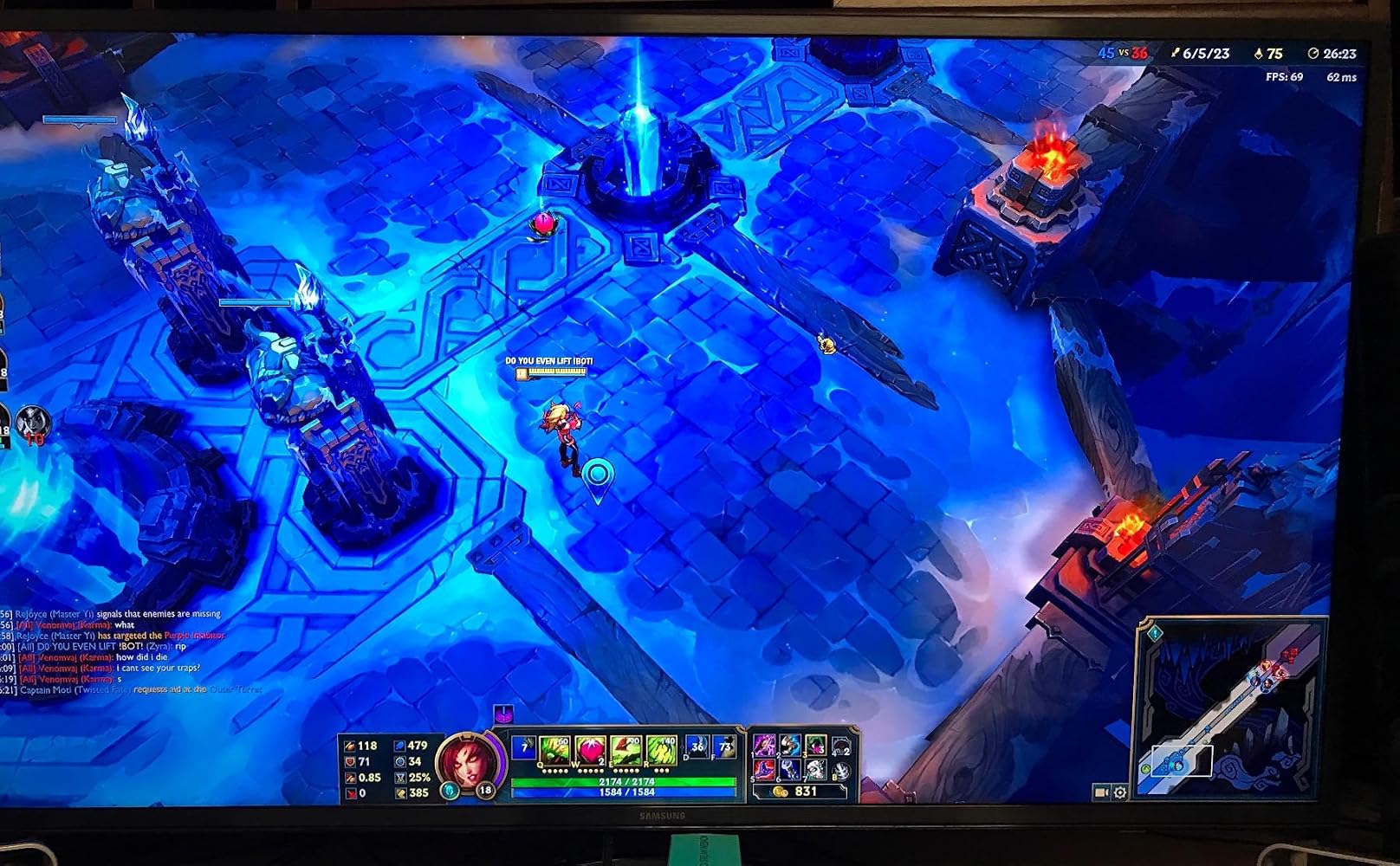
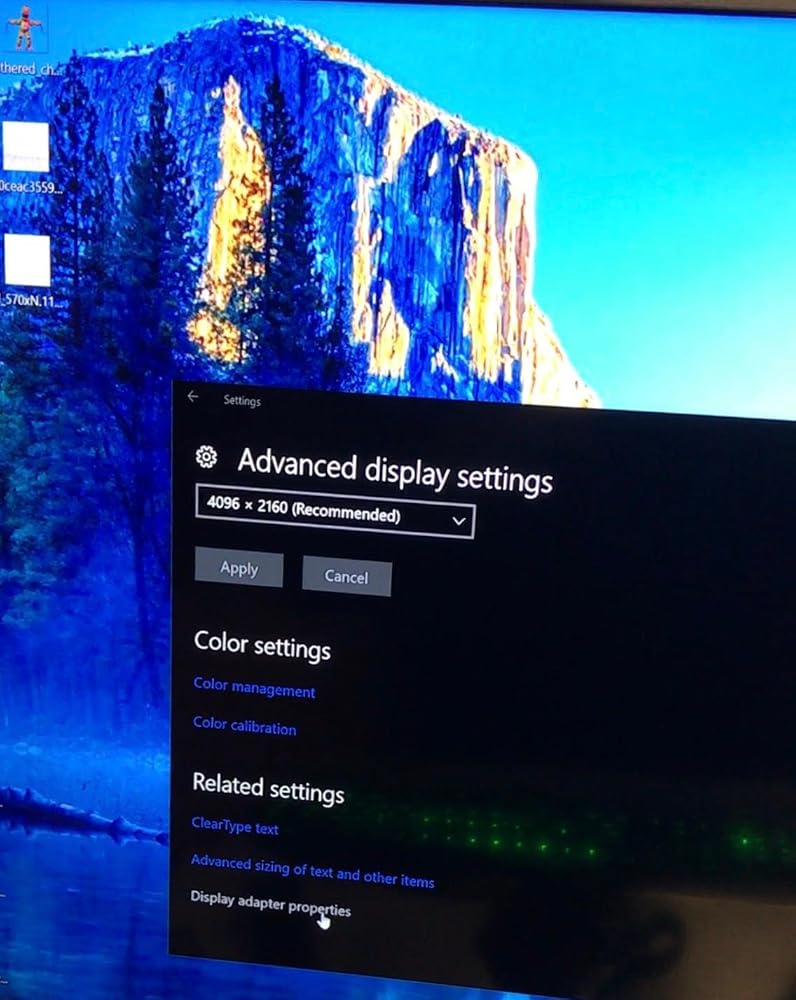
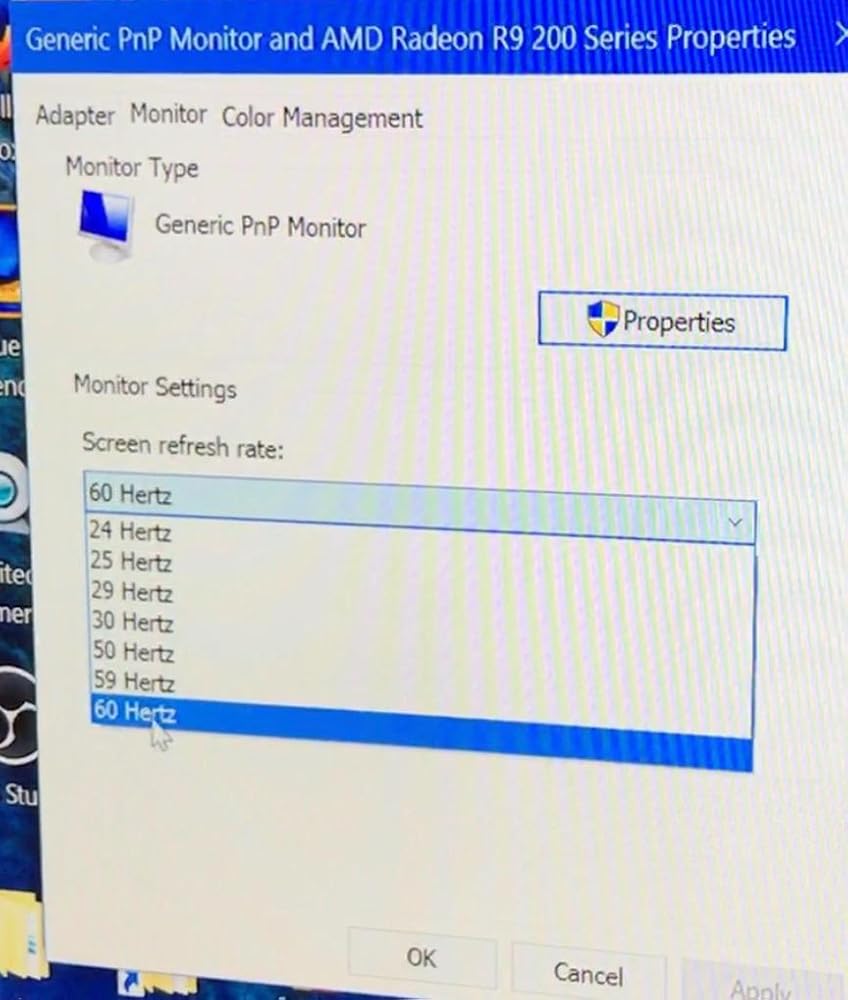
I got 4K60Hz on this converter but No HDR -> No HDMI2.0a. HDCP 2.2 is also not work consistently.My TV: LG OLED65E6PMy HTPC:ASRock Fatal1ty Z270 Gaming-ITX/acCore i5-7500Windows 10 Pro
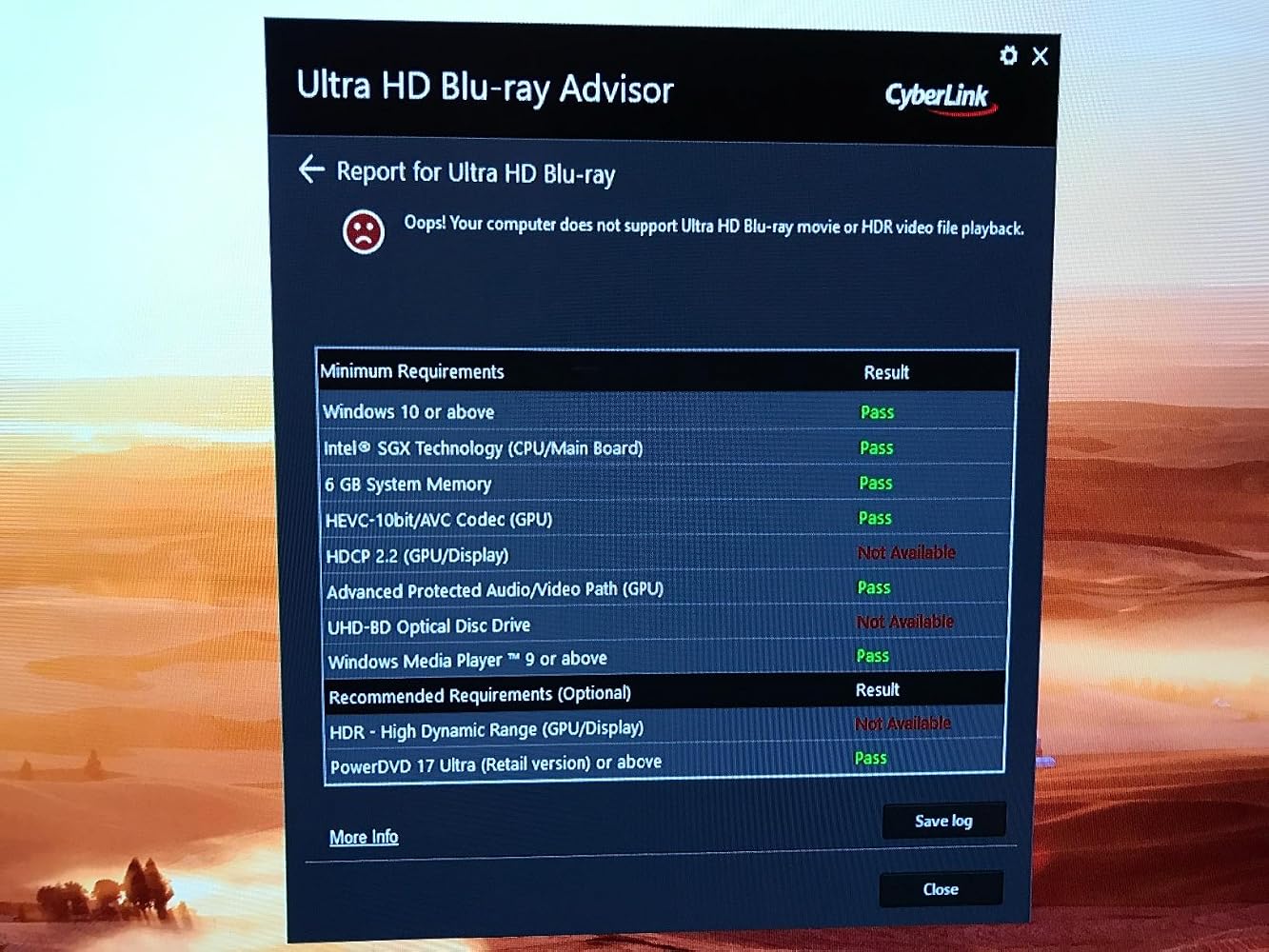
Unfortunately, this product does not work as advertised. I connected the adapter to my R9 290 graphics card, made sure that the HDMI cable that I was using was 2.0 compliant, that the HDMI port on the television was 2.0 compliant, even searched the UPTab website thinking that there might be drivers that I had to download, but with no luck. The highest settings that I have with the adapter are the same as the highest settings that I get without the adapter: 4096x2160@30Hz. I was really crossing my fingers that I'd be able to get 60Hz, since the television itself supports up to 120Hz.
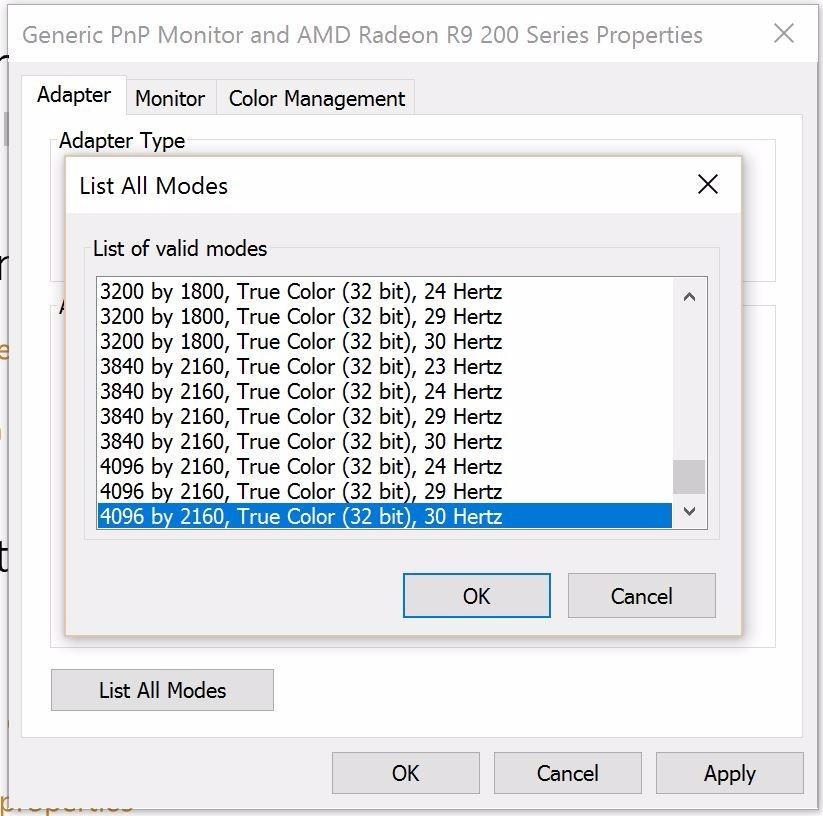
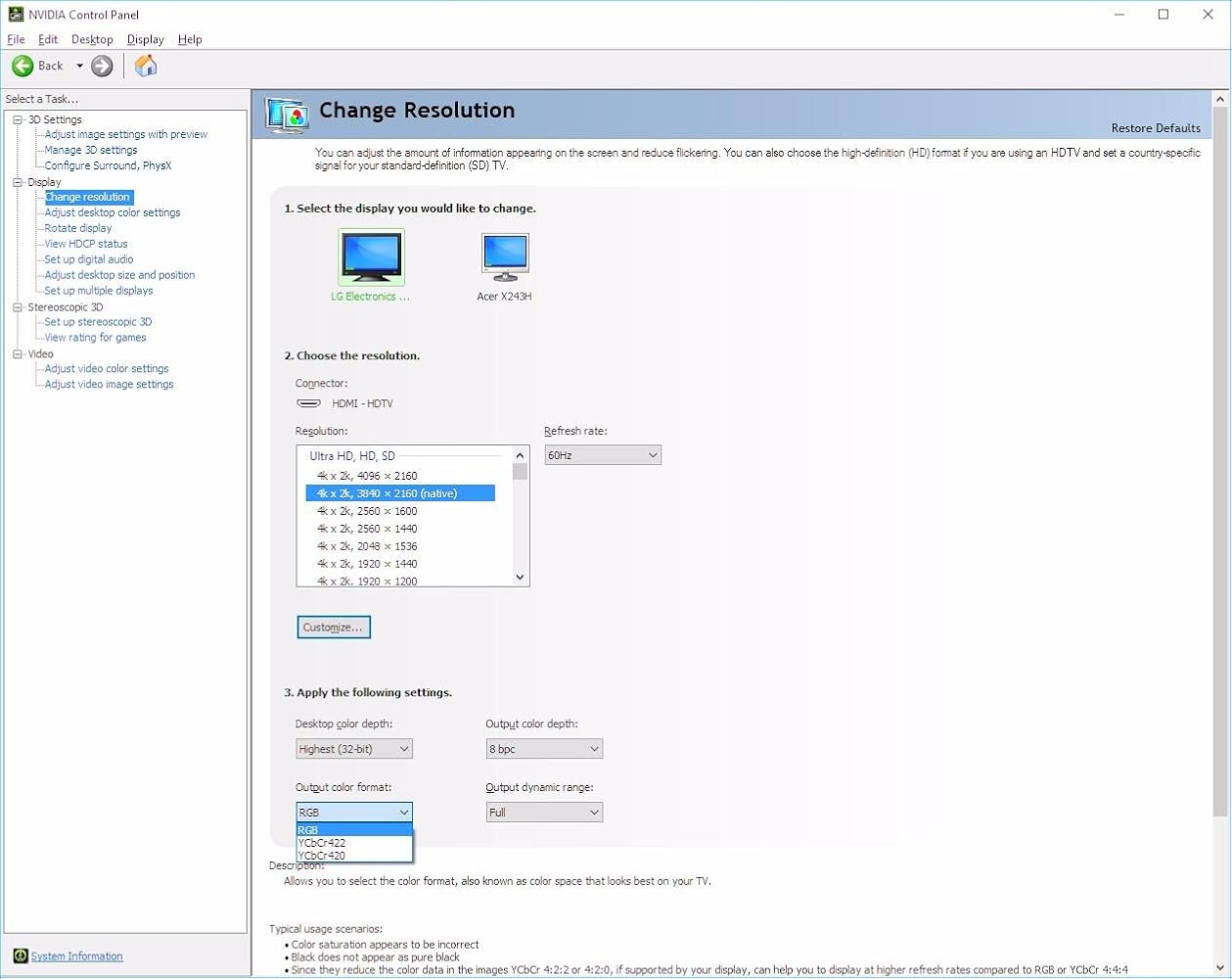
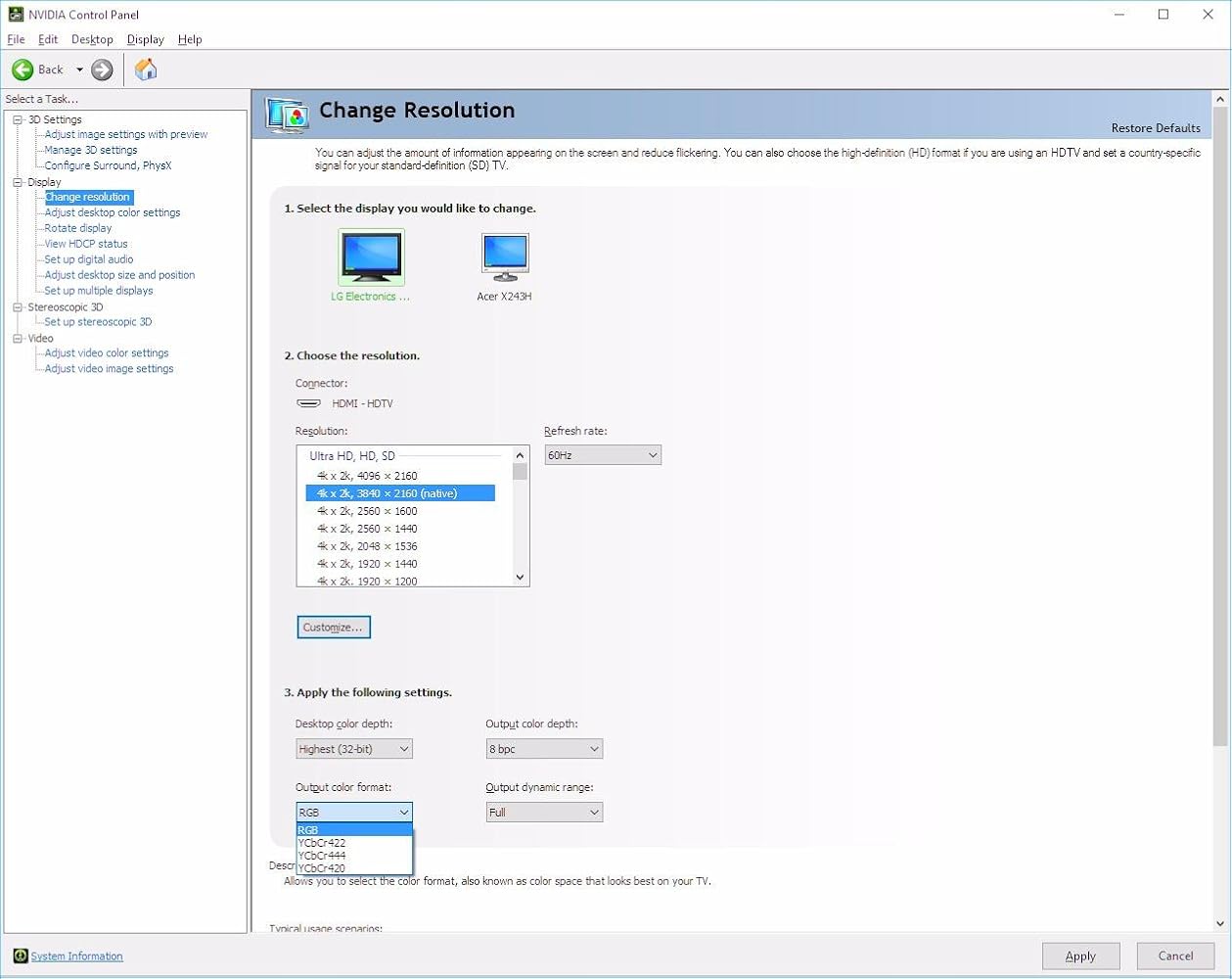
I have an LG 49UB8500 and an NVidia built GTX 1080. Connected directly to the monitor's deep color HDMI port, I get proper 4:4:4 color (see attached screenshot #1). Using this adapter on a displayport to the same input on the screen with the same HDMI cable, I do NOT get 4:4:4 (see attached screenshot).I gave 2 stars instead of 1 because when using RGB, the monitor correctly displays images at 4:4:4 (using test pattern), however, same cable and adapter into a Samsung UN40KU6290 in RGB mode (4:4:4 also doesn't show up for the Samsung) does NOT show 4:4:4 correctly (summarizes to 4:2:2 with test pattern). Connecting to the Samsung screen directly with HDMI from the GTX 1080 shows 4:4:4 like the LG does.
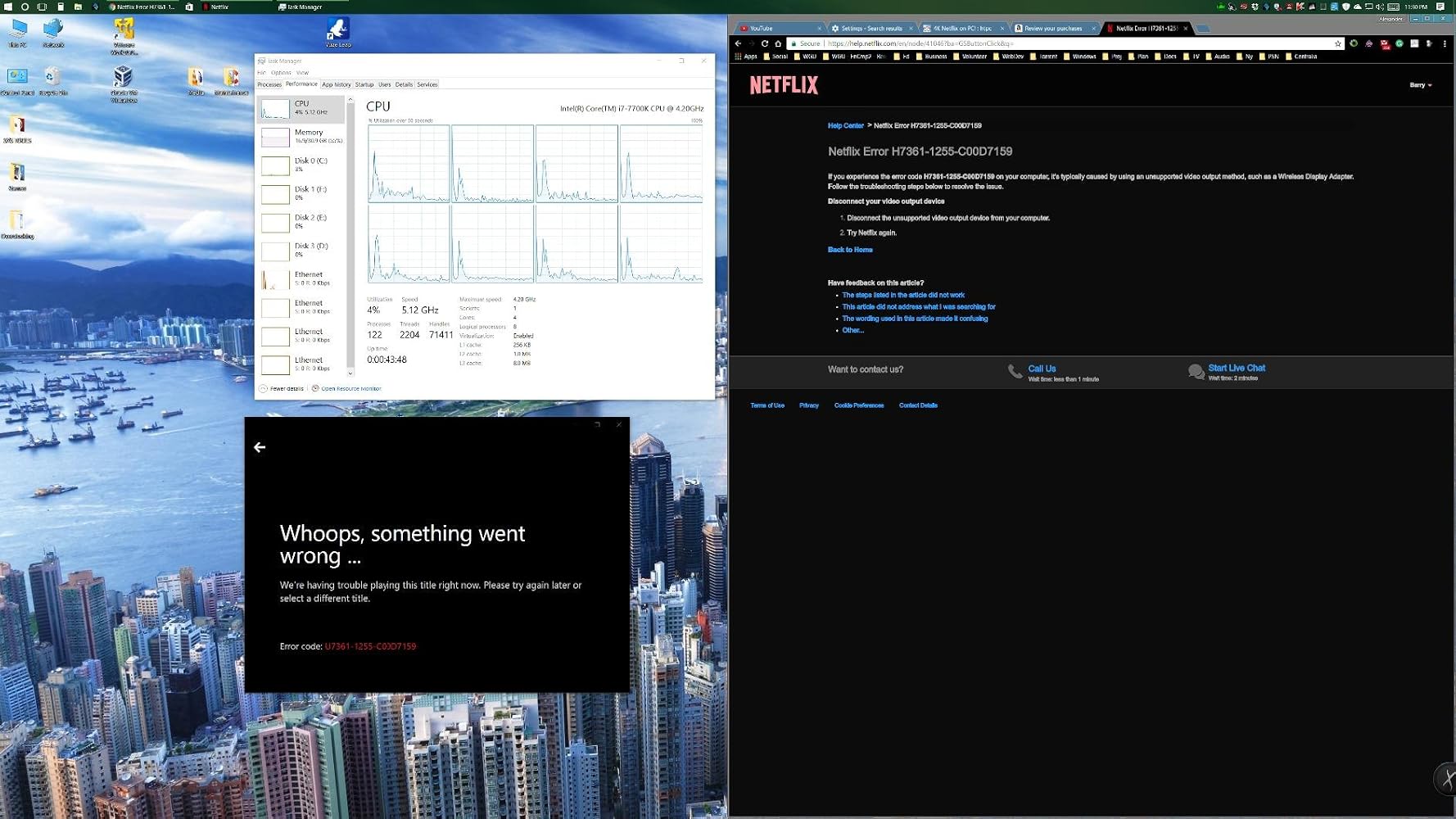
I believe the HDCP 2.2 spec listed is not correct because my adapter does not play Netflix in 4k using this adapter.My PC:----------Asus Maximus Hero IX (z270)32GB DDR4 @ 3000MHzi7-7700k @ 5.2GHz w/ Intel HD 630 Integrated Graphics - DisplayPort 1.2 (max: 4096x2304@60Hz) - HDMI 1.4b (max:3840x2160@30Hz)If I try to view it with the HDMI 1.4b connection to my Samsung 6300 series 2016 4k/hdr10 display, it works, but only at 30Hz (terrible to my eyes, and terrible for gaming, which it why I bought this).When I plug this adapter into the DisplayPort v1.2 and set the resolution to 3840x2160@60p, the desktop works fine, being nice and snappy, but Netflix will not play anything though the adapter, either in the Windows 10 Netflix app, or in the Edge browser!I AM VERY DISAPPOINTED WITH THIS PRODUCT :(
After waiting 3 years for such an adapter to exist and reading the very disappointing reviews of the club 3D one I am happy to report that I am finally able to run my LG OLED TV at it's native resolution and 120Hz. I haven't tried VRR with this adapter but I tried it on a RTX 2080 maxq and on a MacBook pro 16 2019 (with Radeon m5500). I had to use SwitchResX and add a custom resolution to get the Mac output it and I still have a problem of subsampling but I know this adapter can do the job! Great product. It's just sad it didn't exist 3 years ago when the C9 got released

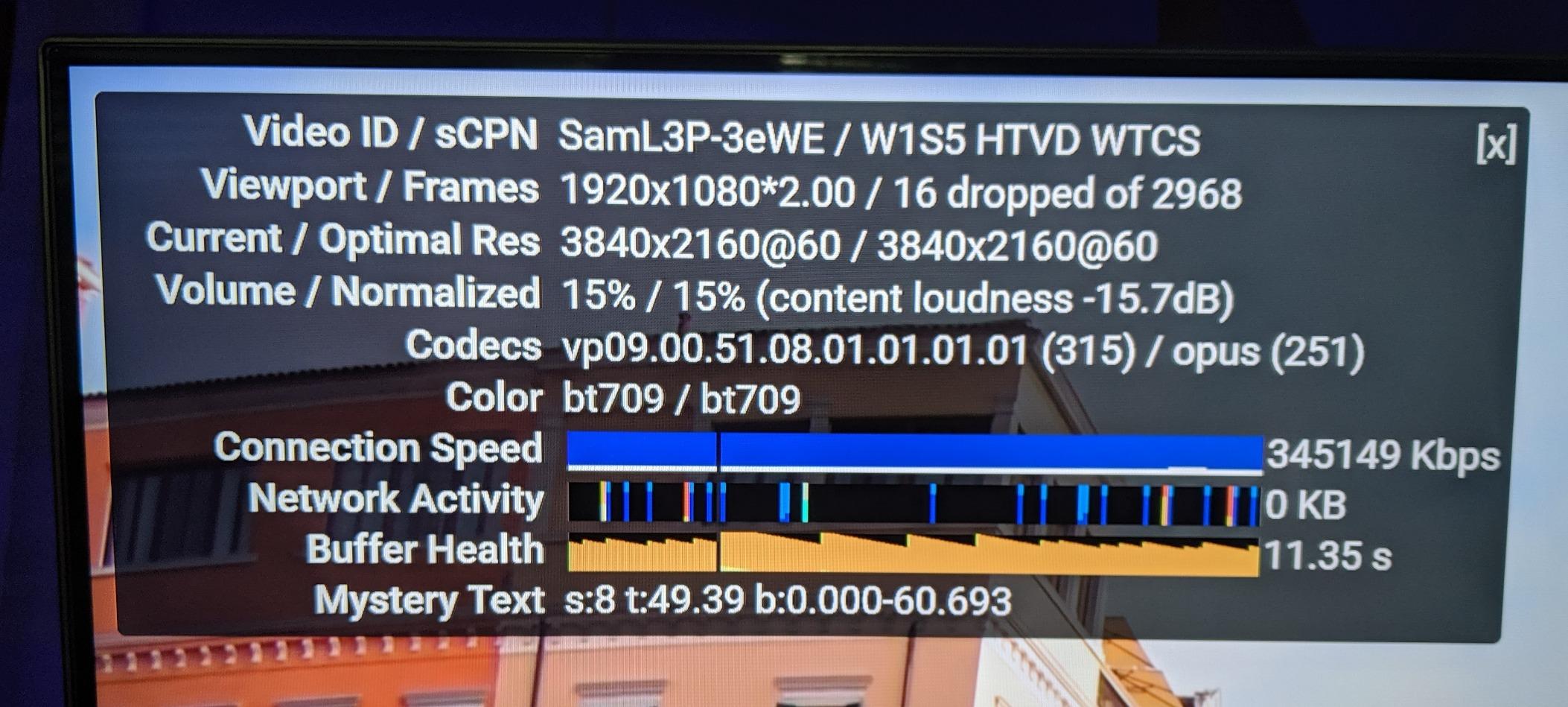
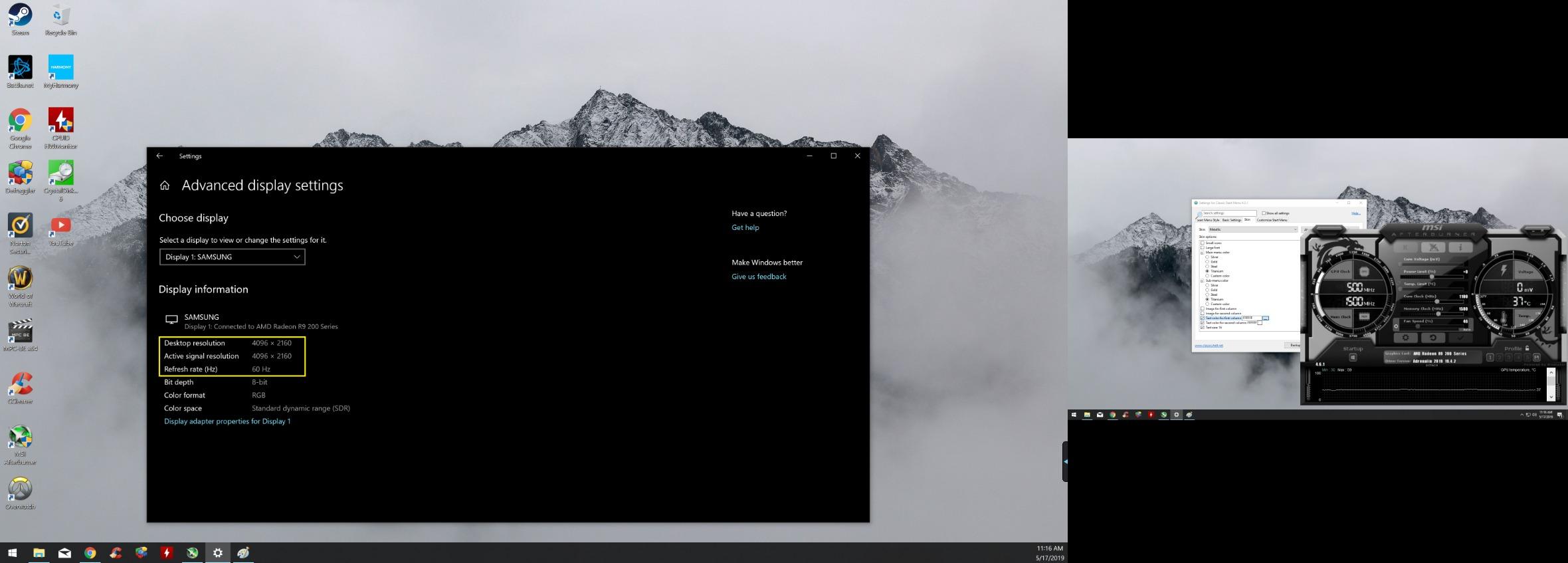
Update: Added second pic of YouTube 4k60fps and it's still cranking it out without dropping frames etcI have an older computer hooked up in my bedroom that has a R9 270 video card in it. Unfortunately the HDMI Port is only capable of 4k 30hz. The Display Port on the other hand could do the 60hz but I am connecting this to a TV, which doesn't have a DP. So I found this and bought it a couple weeks ago. I tested it for a while to make sure it worked.As you can see from the picture this is the case. I used a HDMI cable that was rated for it and it has been solid since. No dropping of signal etc. I hope this helps
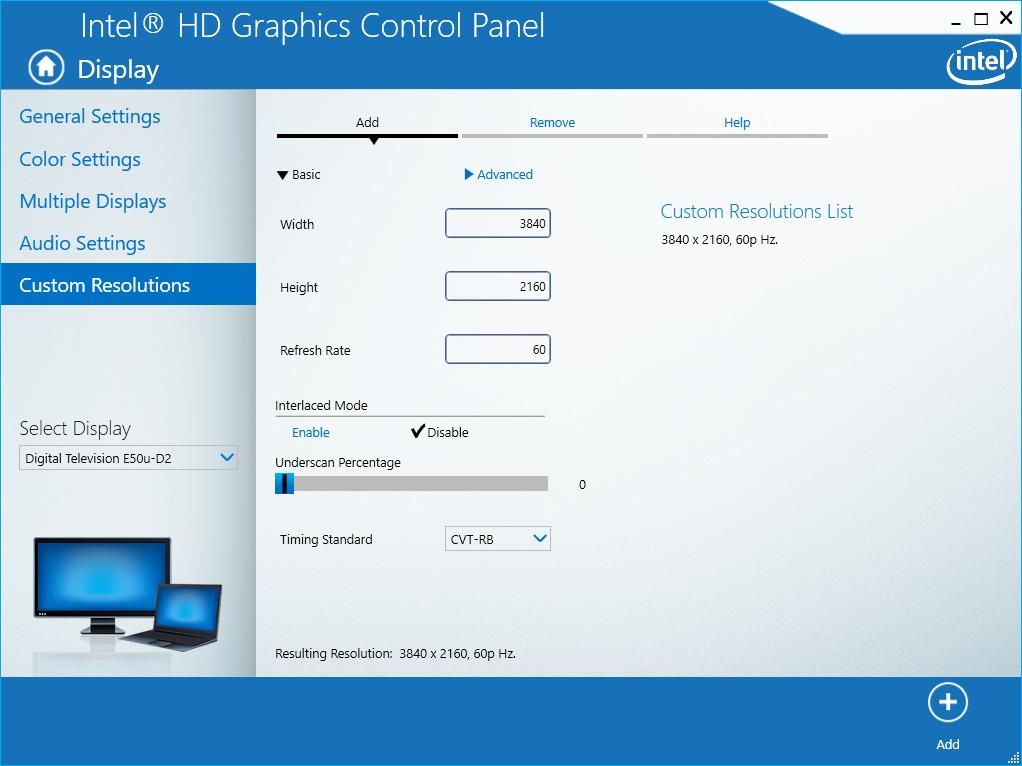
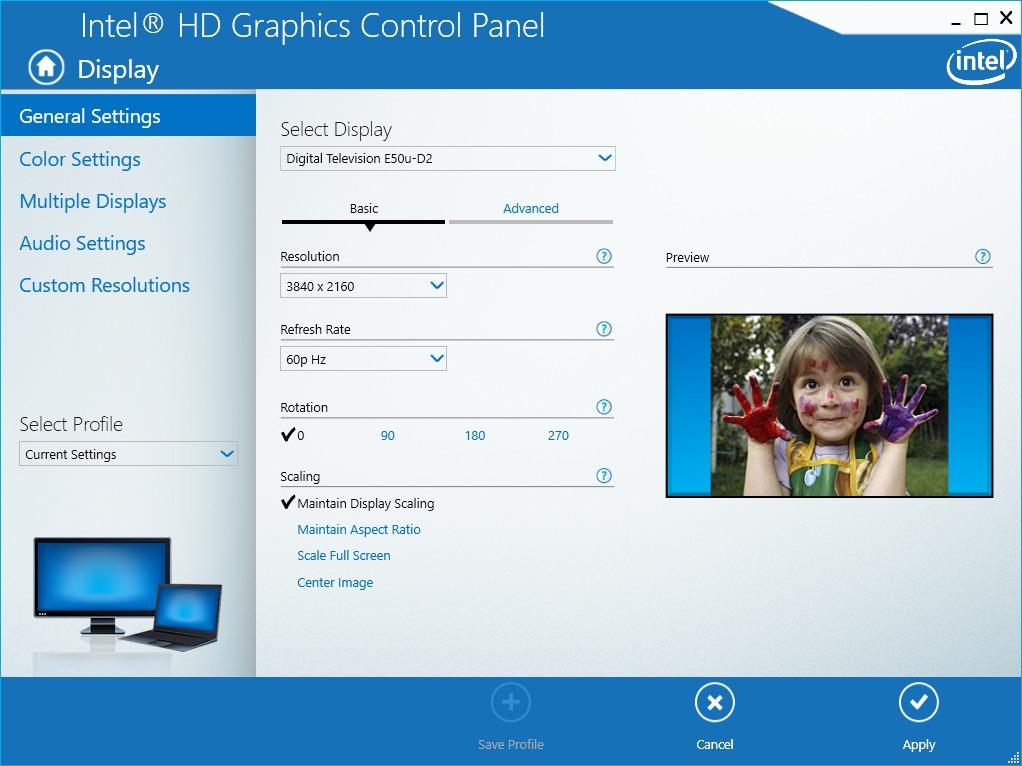
Excellent product and works as advertised, but it took some finessing on my part. If you're like me and running a haswell i7 with 4600 graphics (or similar cpu) on a windows based laptop, this adapter will not work out of the box for you. Step one is too make sure you're using the proper hmdi 2.0 port on your monitor/tv. (mine is hdmi 1 port on my vizio tv). Then you'll want to 'search for updates' for your intel graphics. After that open the Intel HD Graphics control panel. > go to display > custom resolutions > set the width to "3840" and the height to "2160" and refresh rate to "60" (**make sure the correct display is selected in the display drop-down menu on the left hand side**) > next you'll want to set the 'Timing Standard' to CTV-RB (VERY IMPORTANT) > finally click add and go back to general settings. Select the resolution you just entered and the refresh rate should be available. I hope this helps!
I recently got an 8k TV for programming and productivity (HIGHLY RECOMMEND)... My 1660 Super on my work PC only has HDMI 2.0b, which only supports 8k 30Hz, which is painful to use.1660 Super also has DP1.4a ports, which carry much higher bandwidth. I was highly skeptical this would work as this was only one of two converters I could find on Amazon to do DP1.4a to HDMI 2.1.I plugged it in, and after restarting my PC it instantly worked with my TV. Native 8k resolution at 60 Hz. Incredible. AND I was surprised to find it allowed for a higher colorspace as well due to the higher bandwidth, so the picture overall looks better than it did before, on top of getting 60 Hz instead of 30 Hz.Thanks for a great product, does exactly what it says it would do.

I am a professional software developer and I need a large desktop. I currently utilize a 40" Samsung curved UHD TV with two additional 24" monitors in portrait mode (one on the left and one on the right of the Samsung.) My graphics card is an EVGA 960 with 4GB. This card has 3 DisplayPort outputs and 1 HDMI output. Previously I was using the HDMI output of the graphics card to drive the Samsung TV. This worked well (UHD at 60 Hz) but I was unhappy with the arrangement because the computer would always post to one of the smaller screens when booting up.This adapter allows me to use my Samsung TV as the primary display with one of the DisplayPort outputs. (4K UHD at 60 Hz). See the screenshot I have attached to this review.Note: As an experiment I tried several inputs on the TV. One of the ports is labelled "HDMI 1 / DVI". This input appears to provide more performance than the other HDMI inputs on the TV. For example, this input allows the video card to provide 4K (with RGB, YCbCR 4:4:4, YCbCR 4:2:2 or YCbCR 4:2:0) and 32-bit color with 8 bpc. The other inputs on the TV do not appear support all of the output color formats. BUT... I personally do not LIKE the way the HDMI 1 / DVI input "looks". I can detect digital "shadows" adjacent to lines and fonts. And the display seems "harsh".
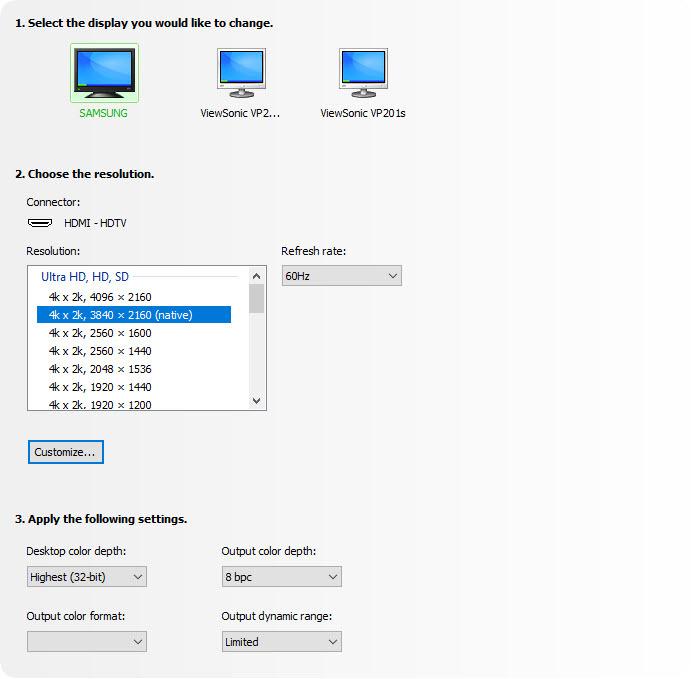
Excellent product, plug & play operation for my setup and enables the 4K resolutions as standard, no custom configurations required.I purchased the DisplayPort 1.2 to HDMI 2.0a Active adapter to see if it performed better than the older DisplayPort to HDMI Passive adapter I had on hand with a recently purchased 50" flat panel. While the DP-HDMI passive adapter allowed me to display 3840x2160 resolution, I had to create a custom resolution for the NVIDIA GPU. After each reboot, and often after unlocking the screen saver, the custom setting and passive adapter combination would disable the 4K monitor and revert to the base 1920x1080 resolution, requiring multiple time consuming steps to re-enable the 4K monitor. I deemed the custom resolution configuration as the root cause of the instability since using a 40" 4K monitor with the same DP 1.2 port did not result in the same challenges.To satisfy my curiosity I purchased the Uptab adapter, fully expecting that the results would be the same as with the passive adapter.First I tested the Uptab DisplayPort 1.2 to HDMI 2.0a Active adapter with the 40" Seiki SM40UMP that I have been using with a single DP 1.2 connection @ 4K resolution, swapping the DP 1.2 cable with the adapter and a Redmere 18+ Gbps HDMI cable. As expected, the Seiki immediately switched to HDMI and resumed displaying 4K @ 30Hz*.I powered down, switched monitors and connected the Redmere HDMI cable to the 50" monitor using one of the two 4K@60Hz rated ports. After starting back up I was pleasantly surprised when the computer immediately recognized the 50" monitor as with 3840x2160 resolution, requiring no custom resolution configuration. Even more surprising, is that the Uptab DisplayPort 1.2 to HDMI 2.0a Active adapter exposed an undocumented *second* 4K resolution of 4096x2160 @ 24 Hz on the 50" monitor panel! Of course, I tested the 4096x2160 "true 4K" resolution and it works without issue --- Easter Egg in a monitor!Regardless, I switched back to the 3840x2160 resolution to continue testing the stability of the configuration over the next several days. Using the 4096x2160 resolution added a variable and if instability issues resurfaced, would leave me wondering if the root cause was the adapter/monitor combination or the 4096/adapter/monitor combination.My configuration is:Dell Latitude E6520 i7-2720HQM with Intel HD 3000 IGU**NVIDIA NVS 4200M GPU with 512 MB dedicated video memory**Samsung 1TB 850 EVO SSD; 2TB Seagate ST2000LM00716 GB DDR3 1866 Mhz ramDell PR02X E-Port II Plus Docking Station (supplying the 2x DisplayPort/DVI-D ports)- screen shots attached*My current computer configuration will not support 4K@60Hz from a single DP 1.2 port, therefore I cannot test the full HDMI 2.0a 60Hz capabilities of the adapter.**Before anyone points out the fact that the Intel HD 3000 and NVIDIA NVS 4200M GPUs have a documented maximum resolution of 2560x1600, you are absolutely correct --- and I was planning to purchase two 27" 2560x1440 monitors to replace the two 27" 1920x1200 monitors that were failing after 8 years of constant use based on the Dell and Intel documentation. I already had the 50" monitor and decided to see how it would look at the 2560x1440 resolution which led to the discovery that the E6520+Docking Station combination would drive a 4K resolution from a single DP port.Just as Dell's documentation states that the E6520 can only support 8 GB of 1333 MHz ram, it is a well known fact that Dell usually understates the full capacity of the on-board chipset. I've been running 16 GB of 1866 MHz DDR3 ram (2x8 GB DDR3 SODIMM) since mid-2013 without issue and have been watching the prices of the 32 GB 1600 MHz DDR3 SODIMM kits(2x16 GB DDR3 SODIMM) for the past year to see if I can access the full capacity of the Intel chipset in the notebook.
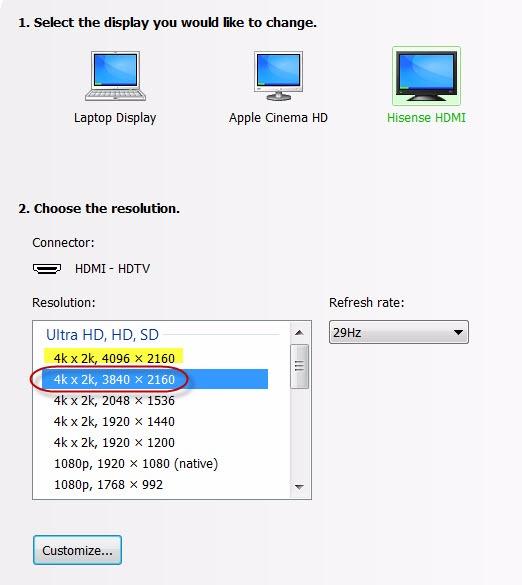
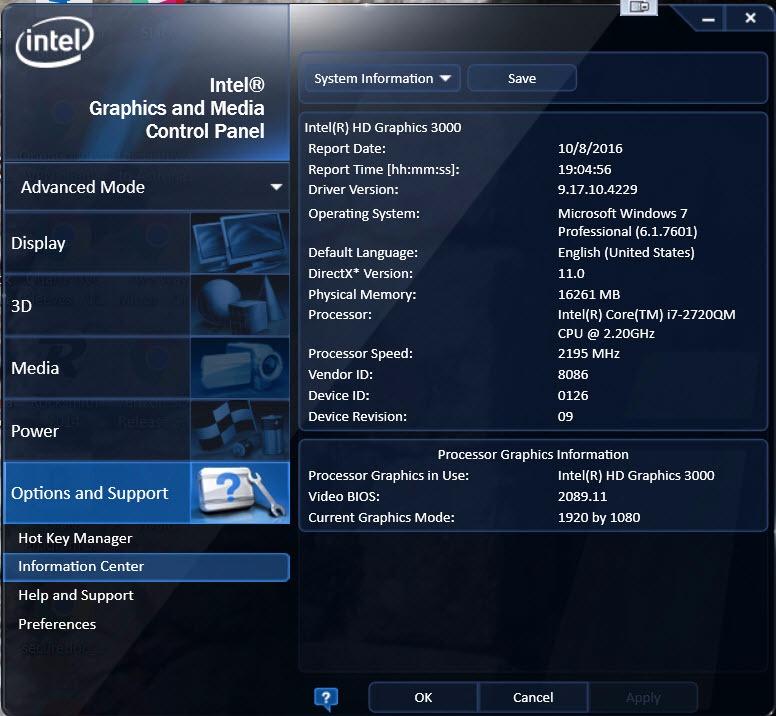
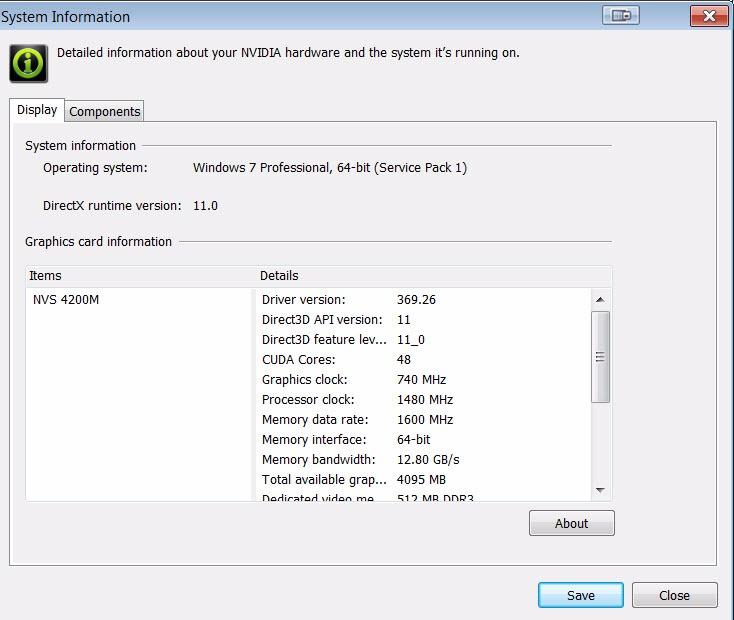
Alt virket som normalt da jeg koblet til.
First let me say that the product is working perfectly but there is a backstory to this.
I originally bought this in October of 2021 and was disappointed that it was only passing a 4:2:0 signal from my 6900xt to my LG C1 and had intended to return it (even received an RMA). I changed my mind on the hope that it was a firmware issue that would be resolved as a support e-mail had said the issue may be with LG OLEDs at that time.
Well, I don't know which firmware did it but I decided to try this again tonight on a whim and it works great.
This was a perfect solution to get 2160p/60 from my computer to the TV. Very easy to use. The computer automatically recognized the correct screen resolution. The only possible concern I can think of is that the adapter doesn't support HDR (most don't as of the time of this review).
I have heard that these adapters are sometimes hit-or-miss, and I have went through a few unsuccessful solutions. Works as advertised. I have a Sony XBR-65X900C(60Hz), and there was a several second delay when turning on the PC, where there was no picture, but after the delay, I had my 4K going with my PC, using a Nvidia GTX 1080(Founders Edition). No complaints.
Need to update the bios asap or it gets too hot to touch.
Excellent product. Arrived in excellent condition and worked as expected. Seller has been corteous and very professional to help on every detail, including a set of instructions sent in advance by email, in order to make sure everything was ok. If needed, I will for sure buy again from Uptab. Thank you and greetings from Brazil !
Still an early review. Connected my Dektop with GTX 1080 FTW display port 1.4 to my Samsung UN65KS8500 TV HDMI 2.0a port. Did not work. As soon as I connect, my TV stops detecting any source as if the converted is not transmitting anything and the primary display of my computer goes dark like 'stand by'. I have not given up hope yet, will try my laptop with TV and may be read up online for solutions before I give up and send it back.
This is a true display port to HDMI 2.0 converter. Playing doom 4k @ 60hz on my big screen was awesome. My Samsung UHD TV doesn't have a display port and my gtx 780 doesn't have HDMI 2.0 so this way I could convert the signal with no loss or detectable lag. Thanks for the quality product!Highly recommended
Works good, but had to do a lot of fiddling to get it to work properly, but so far so good after a month of usuage
This adapter works perfectly on my my LG wide monitor running at 2560x1080. I'm now free of my Display Port hot plug auto detect issues, a feature of display port that would cause the monitor to disappear from Windows anytime the monitor was turned off, messing up my tri-monitor configuration and icon locations. Highly annoying. I'm so happy I never have to deal with that again.
it does give 4K at 60 but they claimed it supports YCbCr4:4:4, 4:2:2 and 4:2:0 up to 12 bpc , and its the only reason i bought it for and on my AMD card they option was grayed out so its of no use to me
Free Shipping Over $50
Same-Day Shipping on Most Orders