

产品详情
连接一根电缆即可改造您的 Windows 或 Mac 笔记本电脑 — 包括 Intel 或 M1/M2/M3 种型号 — 使用 UPTab 4K 三重显示屏 USB-C 扩展坞进行多显示器设置。该扩展坞是首批应用 USB 3.2 创新的扩展坞之一,使用 USB-C 标准中的 DisplayLink 和 DisplayPort“替代模式”作为主要输出。它还率先提供 USB 100W 电力传输,允许扩展坞为笔记本电脑、二合一设备或 Windows 平板电脑充电。并非每个 USB-C 端口都支持 DP Alt 模式或 PD 充电;需要完全兼容的 USB-C、USB4、Thunderbolt 3 或 Thunderbolt 4 端口。
用于三重 4K 显示器的 USB-C 主机连接:

连接到 USB-A 3.2 (USB 3.0) 主机、最多两个显示器时存在限制,并且无法为笔记本电脑充电。
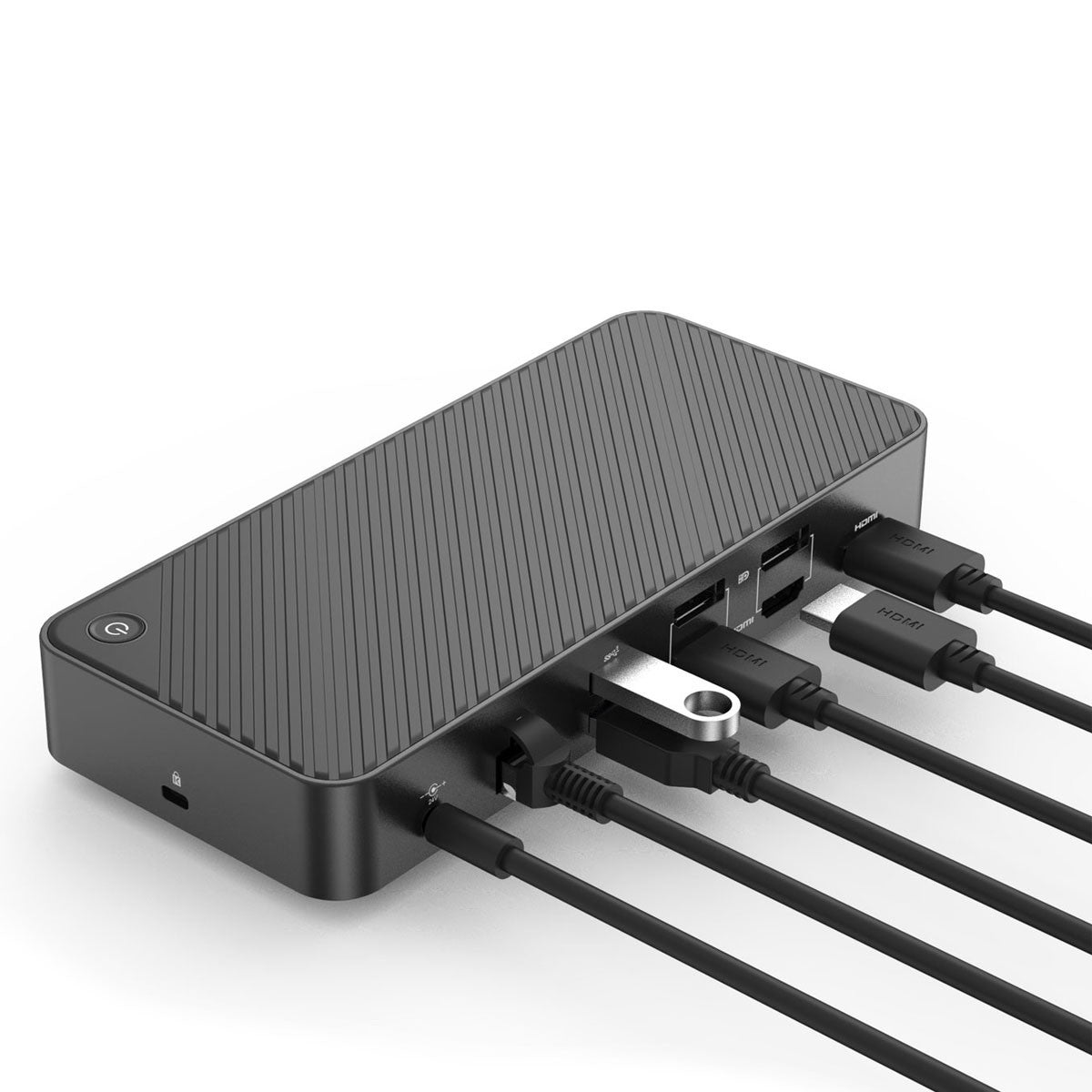
轻松设置:即插即用设计使您可以用一根电缆插入和对接所有设备。只需插入扩展坞电缆即可为您的设备充电,并立即访问外部显示器、键盘、鼠标等,将您的笔记本电脑/平板电脑转变为台式电脑,并节省办公桌上的电线,美国本土品牌 UPTab。旨在提高您的生产力。
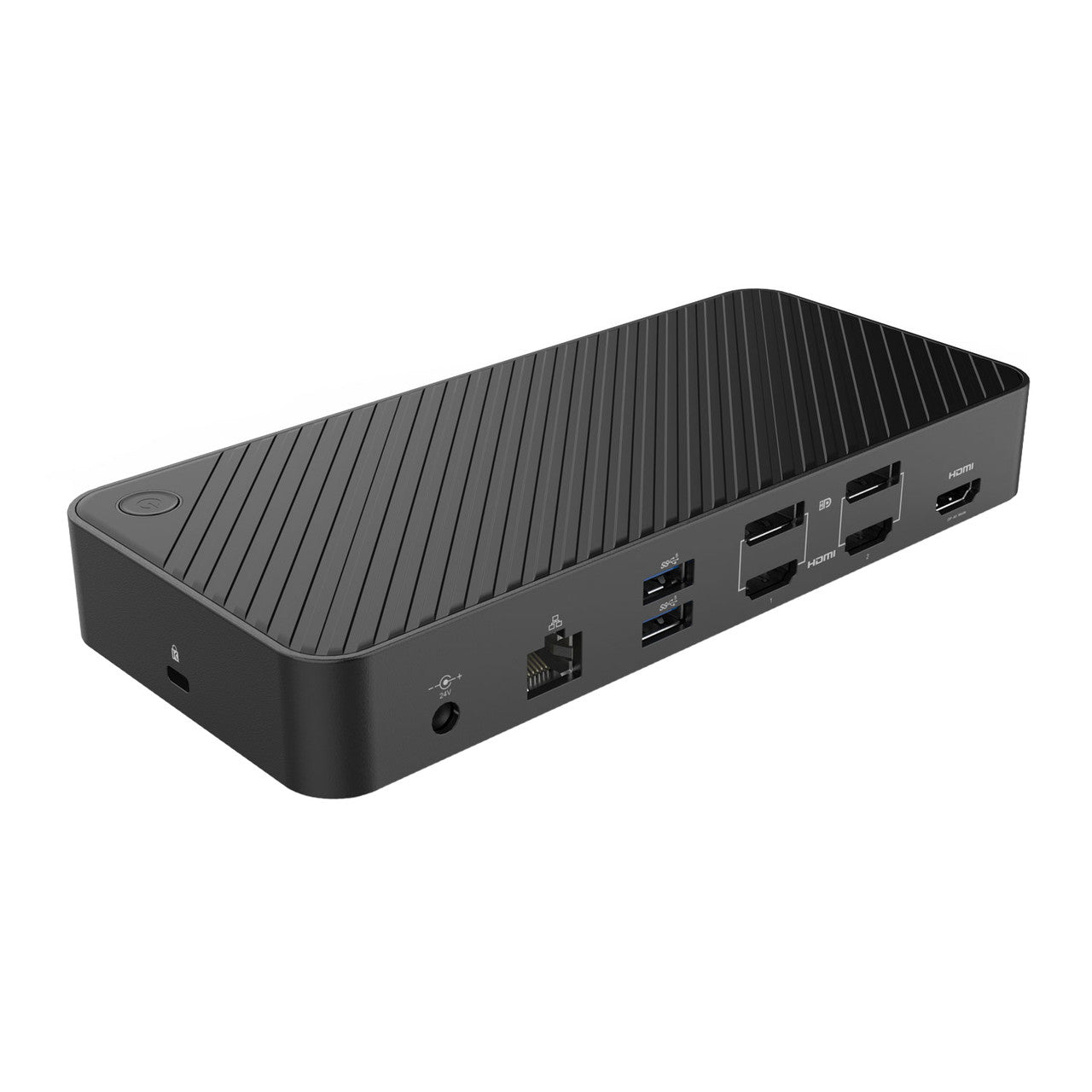
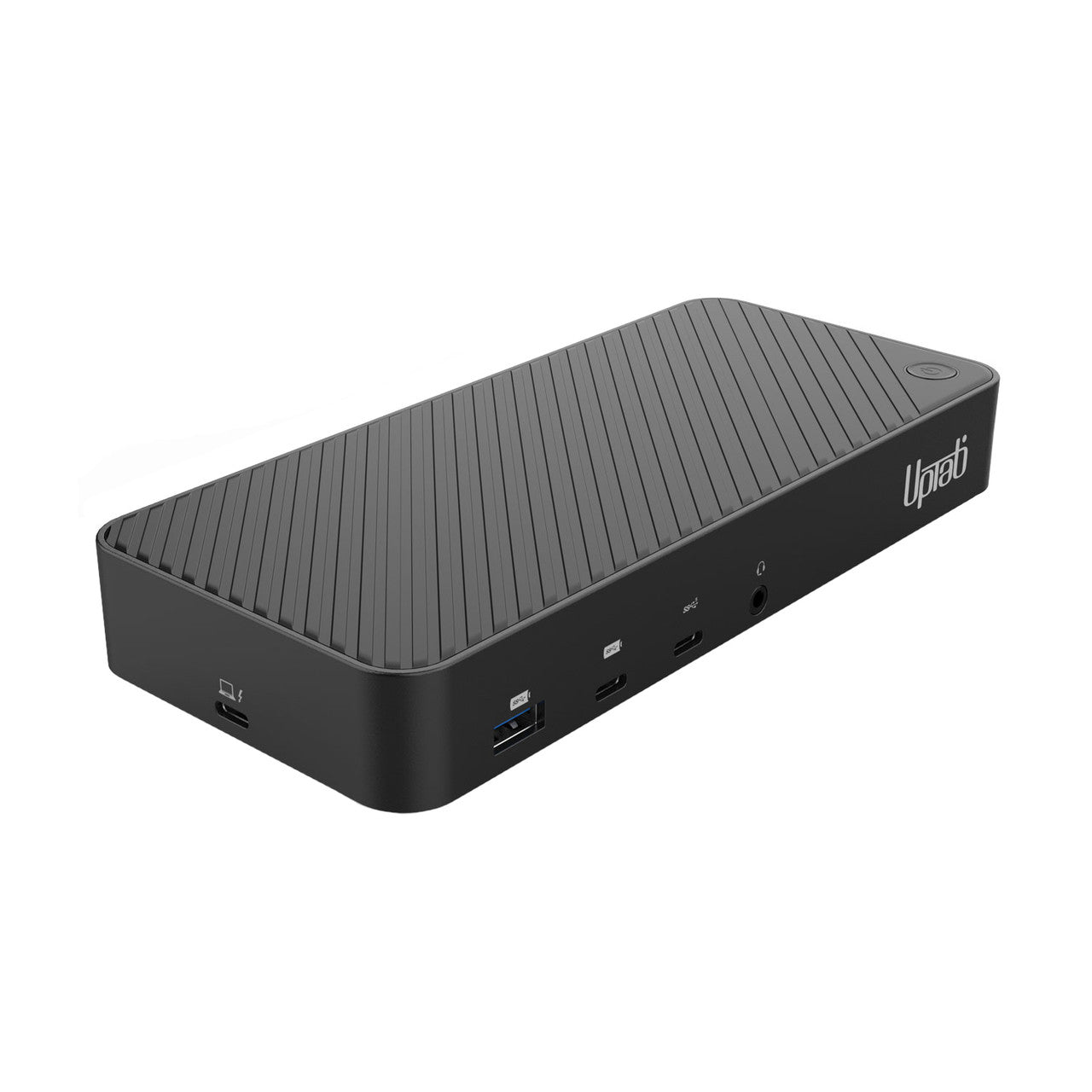
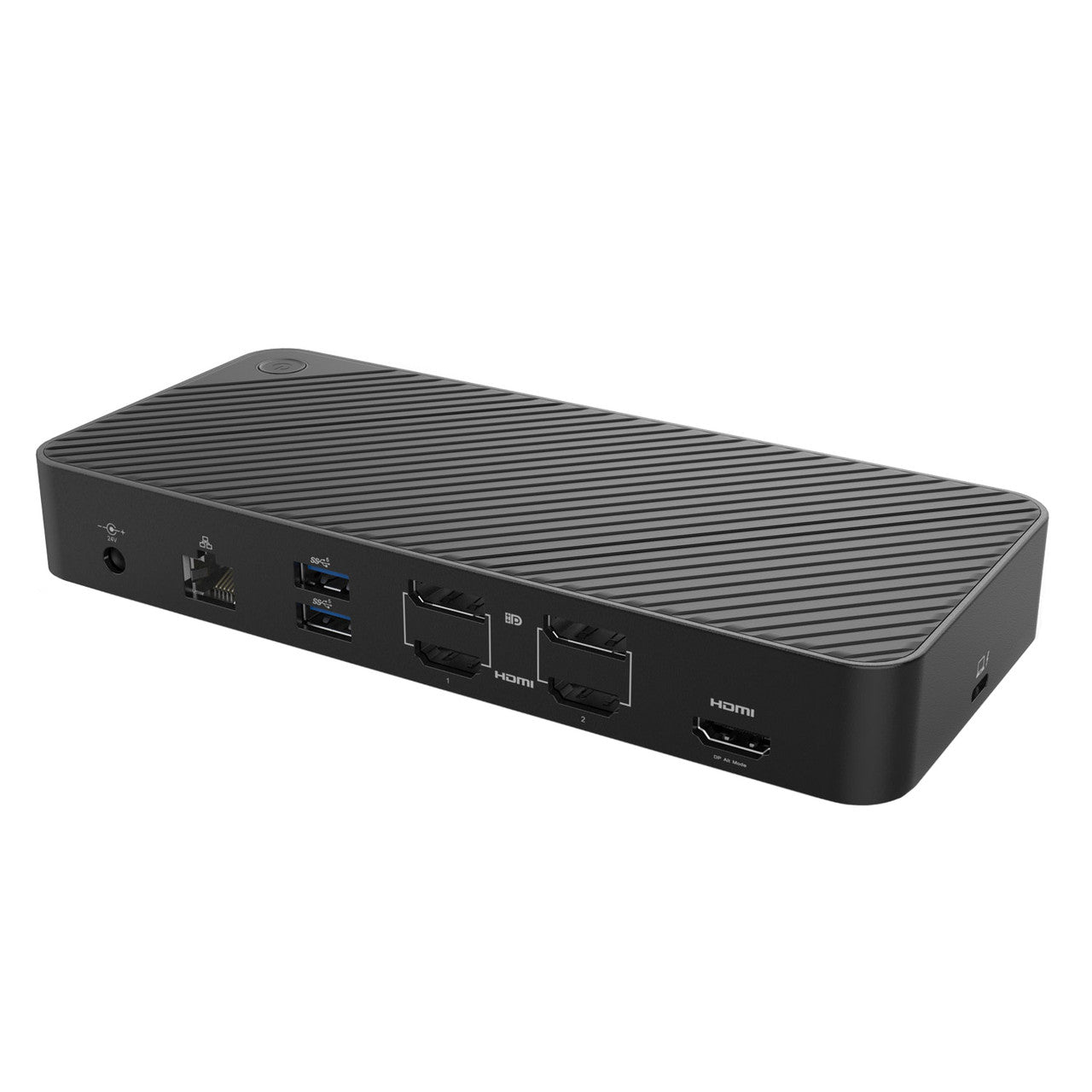
UPTab DisplayLink 扩展坞。正面和背面:

- 输入:USB-C 3.2 Gen 2 或 USB-A 3.2 Gen 1 (USB 3.0) - 随附 USB-C 和 USB-A 电缆
- USB-A 3.2 Gen 2(10 Gbps,带 BC 1.2 充电)
- USB-C 3.2 Gen 2(10 Gbps,BC 1.2 充电)
- USB-C 3.2 第一代 (5Gbps)
- AUX/MIC 3.5mm 音频和麦克风端口
- 为笔记本电脑提供 100 瓦的电力。总功率输出 130 瓦 (24V/5.4A)
- 千兆位以太网 (10/100/1000)
- 2 个 USB-A 3.2 第 1 代 (5Gbps)
- DisplayPort 或 HDMI:4K @ 60Hz (3840x2160)
- DisplayPort 或 HDMI:4K @ 60Hz (3840x2160)
- HDMI 4K @ 30Hz (3840x2160) - DP Alt 模式
- 适用于 Kensington 型笔记本电脑锁的 K 型槽
这款 USB-C Gen 2 扩展坞支持 DP 1.4 和 HDMI 2.0 HDR,是双显示器或三显示器设置的完美选择,在 USB-C Gen 2(支持 DP 1.4)笔记本电脑、MacBook 和基于 Windows 的 Thunderbolt 3/4 笔记本电脑上,最多支持双 4K 60Hz 和 1 个 4K @ 30Hz 显示输出,可任意组合三个 DisplayPort 或 HDMI 视频接口。
使用适用于 USB-A 和 USB-C 设备的 BC 1.2,通过两个下游前置充电端口为智能手机和其他设备充电。
快速充电端口支持始终在线充电,因此无论是否连接笔记本电脑主机,设备都会充电。
用于双 4K 显示器的 USB-A (USB 3.0) 主机连接:

高分辨率显示器: 获得更多屏幕空间以提高工作效率。高分辨率显示器(包括 DisplayPort,不是 HDMI)将改变您管理失控选项卡和工作流程的方式。
不再有颗粒状的视觉效果和小屏幕。使用此扩展坞扩展您的屏幕空间,并减少处理这些高效率任务所需的时间。
注意:要实现 4K 60Hz,每台连接的显示器和电缆必须支持所需的分辨率和刷新率。较旧的 USB-A 笔记本电脑仅支持双显示器设置。
兼容性:
苹果 M3: 我们的 DisplayLink 扩展坞将让您克服 Apple 新款 Macbook Air\Pro 中一台外接显示器的限制 M3 并允许您同时连接最多三台显示器,最高支持 4K @ 60Hz 和 HDR。
笔记本电脑兼容性: 与大多数运行 Windows 11/10/8.x/7 和 MacOS(采用 Intel 或)的笔记本电脑和台式机兼容 M1 和 M2 个 10.14+ 的芯片。包装盒内附有 USB 3.0 和 USB-C 电缆,可将扩展坞连接至笔记本电脑。
不兼容: 不兼容:基于 ARM 的 Windows 操作系统(例如 Surface RT)。
显示器兼容性:当连接到支持所需分辨率的显示器时,支持两台高达 4K 60Hz (3840x2160 @ 60Hz) 的高分辨率显示器。在向后兼容的同时,请务必注意: • DisplayPort 1.2 显示器最高可支持 4K 60Hz, • DisplayPort 1.1 显示器最高可支持 4K 30Hz,• HDMI 1.4 显示器最高可支持 4K 30Hz。
软件兼容性: DisplayLink 是一种灵活且多功能的技术,非常适合大多数用户的工作流程。目前可在 macOS 12.0 Monterey 上查看 DHCP(受版权保护)内容,例如 Blu-ray/Netflix/Prime/iTunes/Hulu/Disney+/等。您必须在 Google Chrome 设置中禁用硬件加速或使用 Firefox 或 Opera 浏览器。
电源和充电: 仅当使用 USB-C(请确保您的笔记本电脑可以通过 USB-C 端口充电)时,才能向笔记本电脑供电,最多可向笔记本电脑供电 100 瓦。
规格:
- 千兆位以太网
- 10/100/1000
- USB-A
- 1 个 USB-A 3.2 第 2 代 10 Gbps 端口(正面)(BC 1.2 充电支持)
- 两个 USB-A 3.2 第 1 代 5 Gbps 端口(背面)
- USB-C(C 型)
- USB-C 3.2 第 1 代 - 5Gbps 传输速度(正面)
- USB-C 第 3.2 代第 2 代 - 10 Gbps(正面)(BC 1.2 充电支持)
- USB-C 主机连接(侧面)
- HDMI
- HDMI 1:4K @ 60Hz (3840x2160)
- HDMI 2:4K @ 60Hz (3840x2160)
- HDMI 3:4K @ 30Hz (3840x2160)(DP 交替模式)
- 显示端口
- DisplayPort 1:4K @ 60Hz (3840x2160)
- DisplayPort 2:4K @ 60Hz (3840x2160)
- 辅助麦克风 AUX/MIC
- 3.5 毫米音频和麦克风端口
- 直流电源
- 为笔记本电脑提供 100 瓦电力
- 总功率输出 130 瓦(24V/5.4A)
- 肯辛顿锁
- 一把肯辛顿锁
尺寸: L 7 1/2 英寸 x 宽 3 1/4 英寸 x 高 1 1/4 英寸(90 毫米 x 85 毫米 35 毫米)
兼容性:
- 支持 Windows 11、10、8.x 和 7 以及 macOS Intel 或 M1/M2 和 M3 10.14+。不支持 ARM 和一些较旧的 macOS 版本。
盒子里:
- 1x 通用三重显示屏扩展坞 USB-C 或 USB-A
- 1 根 USB-C 转 USB-A 电缆 19 1/2 英寸(500 毫米)
- 1 根 USB-C 转 USB-C 电缆 19 1/2 英寸(500 毫米)
- 1x 直流电源单元
- 文档
如有任何疑问,欢迎随时联系我们。我们将在工作日24小时内尽快回复您。
-
运输信息
我们大多数订单都会在当天处理并发货。配送时间会根据您在结账时选择的配送方式而有所不同。请确保您的收货地址准确无误,以免延误。
-
客户支持
我们的团队随时为您提供帮助!如有任何疑问或需要帮助,请通过电子邮件或联系表格联系我们。我们会尽快回复您。
-
常见问题解答
我的订单什么时候发货?
大多数订单当天即可处理并发出。送达时间取决于您在结账时选择的配送方式。
你们的退货政策是什么?
商品可在30天内退回,但必须保持原包装,并包含所有配件。 -
联系我们
有疑问或需要帮助?我们随时为您服务。
周一至周五上午 9 点至下午 5 点(美国东部标准时间)提供客户服务
电子邮件: cs@uptab.com
电话:1 (877) 333-1505
或者使用我们的 联系表格我们会尽快回复。
Use this docking station when I have to work from home remotely. It pushes my (1) 32" 4k and my (2) 24" monitors with no problem. I don't do anything that is graphics intensive all I do is run a few reports on excel. It fits my needs and it has ports for my accessories as well. The best part is that it charges my laptop when connected to the USB-C.The dock is well made and reminds me of the ones we use at work.I have succesfully used it with my Dell Lattitide 7420, Asus G15, and 2018 Macbook Air.Hope this helps. :-)


This is great dock for either a desktop or laptop! I bought it for use for my desktop, but it's small enough to fit into a bag if you need to take it with you on the go.This dock actually supports thunderbolt which is great! 40GB/s is more than enough for an external display, a few usb devices, and ethernet. It does come with a short 1ft thunderbolt C-C cable which is nice as those can get pretty expensive. The dock comes with an AC adapter as it does support PD charging with the front USB-C ports. I did take it out to test on my laptop and it does charge the laptop at the same time! Pretty nifty.Fine dock for those on the go or at home. I use it to take my single USB-C Thunderbolt out of my desktop into a functional array of ports. I guess it may be more useful with a laptop as I can't use it for displays with my desktop (no iGPU on my system), but having a few extra USB C and 3.1 ports is huge, especially when they all run at 10(?) GB/s.


I have a unique situation, and was looking for a nice thunderbolt hub that, hopefully, would've cause any problems. My situation is I have a 2011 27" iMac, which has an upgraded Nvidia graphics card, and so, using OpenCore Legacy Patcher, I'm able to run the latest Mac OS Monterey on it. The machine is really for my kids, and their school work, but my nearly 14 year old daughter has really gotten into video lately. As a result, I purchased an Apple Thunderbolt 2-3 adapter, in hopes some of the latest thunderbolt 3 devices could be used with the iMac. I'd previously tried a Plugable thunderbolt 4 hub, which worked, but, for some reason, when plugged in it would have a grey screen when booting for far too long. The Mac would eventually start up, but my kids got annoyed with how long it would take to do so. As a result, I started looking for another solution.I came across this hub, and, considering the price, thought it might be comparable to the Plugable hub, although this offered far more ports. It touts being usable for thunderbolt 3/4, so I gave it a go. Sadly, plugging it into the Apple Thunderbolt adapter didn't do a thing. This certainly powered on due to the extremely large power supply it comes with, but I couldn't ever get any devices plugged into it to be recognized on the iMac (I could successfully do so using the Plugable hub). I think, ultimately, it's due to this being a USB 4 hub in actuality versus a thunderbolt hub, despite pricing being very similar.Although it didn't end up working out for my ideal use case, I have been able to find it a home with my Mac Studio I use as my work daily driver. Plugged it in there, and, of course, anything plugged in fired right up. I should note, in addition to the huge power supply it comes with, it does also come with a USB-C to USB-C cable, as well as a USB-C to USB-A cable. I merely used the USB-C myself, and have been able to get near expected speeds with a Samsung T7 SSD plugged into it. I have a huge LG display, so really don't have a use for all the additional HDMI ports it offers. This does seem like a solid hub for what it is, although a little pricer than comparable thunderbolt hubs you can get from OWC, for instance. If you're in the market for something like this, it's not a bad choice at all.

Easy to set up a News. Orc exactly like I expected it to. Which is fantastic.
Using this with PC Laptop to get full desktop of 3 4K displays, working great!
This works great with my Dell Inspiron. Just plugged it in and it keeps my Laptop charged and all devices connected with just a single cable. This is exactly what I needed!I have a monitor, network connection, mouse and keyboard hooked up to this all without issue. No drivers needed, just plugged it in and ready to go. Very simple very easy.
I needed something to connect my Macbook pro to two 4k 27" displays, and this has been nothing but perfect for my needs. Im constantly going between my house and my work where I also tend to connect at least two monitors at a time. Having used a cheap docking station before, it was always running super hot and to the point it would scare me. This one has a dedicated fan and that seems to keep this quite cool! Having the USB 3.2 is nice as well as I tend to have a lot of peripherals in use.A well built docking station that has "just enough of what you need, and absolutely nothing extra at all!"
I got this to use with my Alienware m17 gaming laptop with a 3080ti. I mainly got it to use with my 4k TV in my game room. I also used it with an Intel 27inch iMac which worked great.Setup is simple and both Windows 11 Pro and MacOS had no issues seeing this docking station. Having a few extra ports is always I good thing, and each one worked flawlessly.Setting up my gaming laptop to my 4k TV was simply connecting it and configuring the display to mirror. I had no issues running my TV at 4k with this docking station. My kids and I have used it everyday for several weeks now with no issues at all.The build quality is excellent and it's not as heavy as I thought it would be. Due to the weight and size, it's easy to move around with very little effort.Overall, I am pleased with this docking station. I've used and own several brands of docking stations, and this is is as good as some of the more expensive brands I own.
This review is for UPTab Thunderbolt Docking Station (ASIN: B09R17WR43). I am converting over my PC and laptop to Thunderbolt, so I am working on setting up a Thunderbolt environment. This docking station was interesting for its compact size and number of connections, particularly the video connections. It’s very rare that I see a docking station that has 2 x HDMI and 2 x DP outputs. You can’t use all four at the same, but you have the ability to mix and match two of them. You can support dual 4K @ 60Hz, which I rarely see. I’m also surprised to see 2 x USB-C on the front. Normally, I never see more than a single USB-C. It would have been a big bonus if at least one was Thunderbolt. This way I could plug an external Thunderbolt enclosure into it. I tested this with a 4K @ 60Hz monitor, and it worked just fine. I don’t have dual 4k monitors though. Also, the power supply is quite large. This is a good hub, but it’s not perfect. I am still searching for the perfect Thunderbolt hub. However, this can be said of pretty much every hub I have seen so far. Depending on your use and connections needed, this hub could work out perfectly for you.
This docking station is perfect for a small workspace. It is small and sturdy; its metal outer shell makes it easy to travel with without worrying if it will damage or crack. Today, most of these docking stations are made out of metal, but the difference is that some metals are prone to overheating while this one has a self sustaining and very capable fan that keeps the exterior nice and cool while operating. Additionally, it is heavy enough to weigh down on your tabletop without moving too much but light enough to throw in a tote bag for traveling. Further, the best quality about this is the consolidation of wires with its layered port design. Instead of all of the ports being one next to the other, they are layered on top of one another which keeps the device itself nice and small while still providing ample power. I use this with my Macbook Pro and I have no issues with connectivity or glitching– in fact, it has made transferring data onto my desktop PC much easier and faster.This is also extremely easy to set up. It comes in reliable and durable casing that is both protective and not wasteful as it doesn’t come with any extra plastic baggies or annoying stickers. The directions ares straightforward and easy to follow, but honestly, you don’t really need them. This is as simple as plugging in and getting started. I have this attached to my monitor constantly so anything I plug into the loose USBs just pops up right away on the monitor– this has made photo and video uploading from my camera a breeze.Overall, this is one of the best small docking stations on the market. If you’re looking to consolidate desk space with a sleek and durable device, this is the one for you!
*Installation of driver is easy*Connects to monitors without issue*Gets a bit warm if left on for a while but does not get hot*Has on/off button to turn off the deviceMy only wish is that the on/off button could be used to boot up my workstation.
It's nice ,sturdy, versatile. Doing many things at the same time. Fantastic
满 50 美元免运费
大多数订单当天发货